
Razer Blade 2026 Laptop Lineup Compared: Blade 14 vs 16 vs 18
LOS ANGELES, USA - Media OutReach Newswire - 26 June 2026 - Razer Blade laptops have always been engineered for pure performance, and the 2026 lineup brings that into focus more than ever.
Each chassis is built on Razer's anodised aluminium unibody and vapor chamber cooling. All three are configurable with current-generation NVIDIA GeForce RTX 50 Series GPUs and some of the fastest laptop memory currently shipping, alongside the latest Intel or AMD processors.
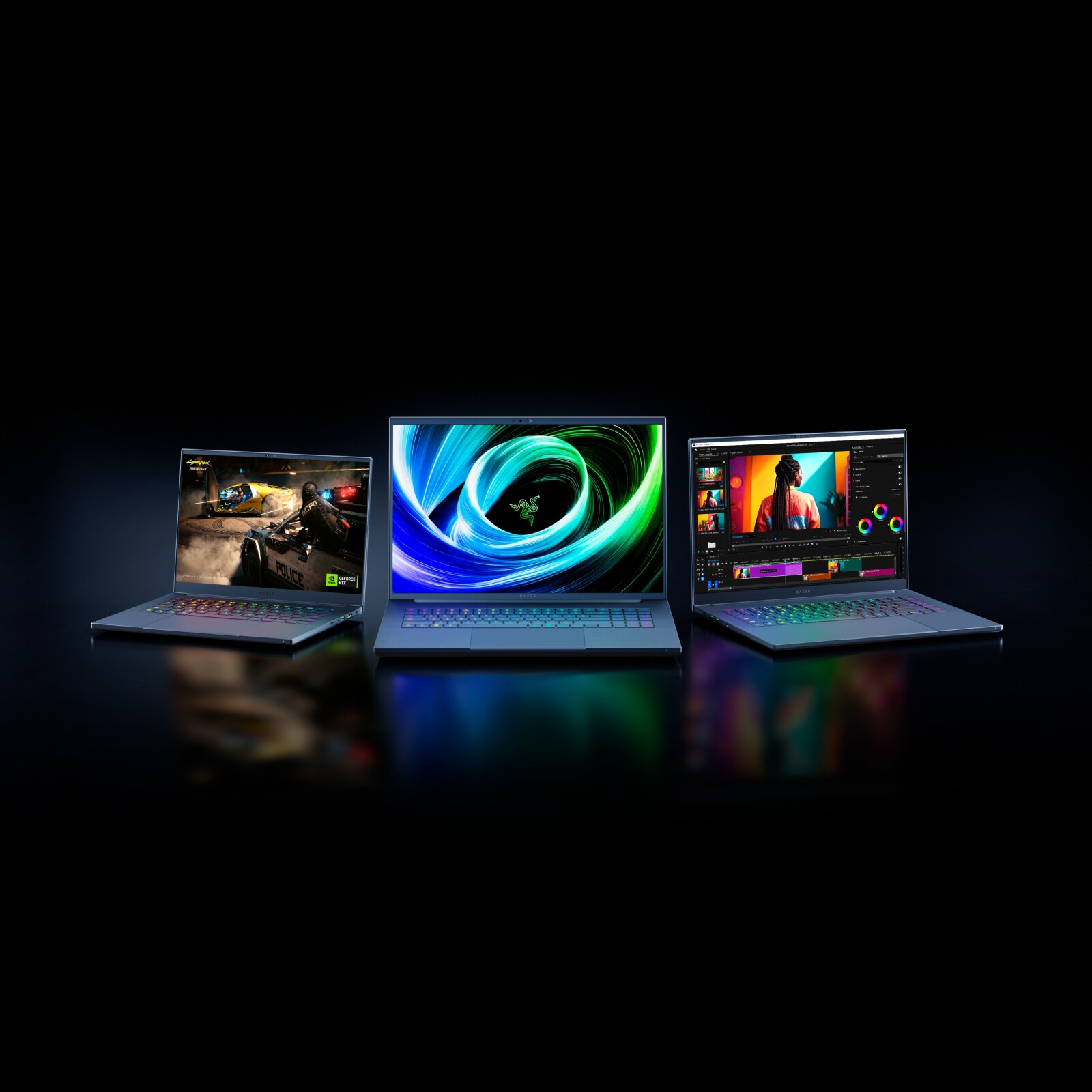
The result is a range built to dominate anything from AAA gaming at 4K to AI workloads and content creation, regardless of which form factor suits you best.
Choosing the right Razer Blade laptop in 2026 between the Blade 14, Blade 16 and Blade 18 comes down to what kind of gamer, creator or AI developer you are and what you want out of your laptop: portability or maxed out performance.
Quick Answer: The Right Razer Blade For Every Type of User
- Razer Blade 14: The ideal pick if you game anywhere and value portability and battery life above all else. Built for gamers with things to do and places to be.
- Razer Blade 16: A balanced pick. Slim enough to commute with, powerful enough to skip a desktop. Best for gamers and creators who want the most possible performance in a premium but portable gaming laptop.
- Razer Blade 18: The closest a laptop comes to replacing a full gaming tower or AI dev workstation. For hardcore gamers and AI developers who demand breakthrough performance and the best of the best.
2026 Razer Blade 14 vs 16 vs 18 Laptop Comparison at a Glance: Specs, Use Cases and More
| Spec | Razer Blade 14 (2026) | Razer Blade 16 (2026) | Razer Blade 18 (2026) |
| Graphics | Up to NVIDIA® GeForce RTX™ 5070 (Up to 115W TGP) | Up to NVIDIA® GeForce RTX™ 5090 Laptop GPU, 24GB GDDR7 (Up to 165W TGP) | Up to NVIDIA® GeForce RTX™ 5090 Laptop GPU, 24GB GDDR7 (Up to 175W TGP) |
| Processor |
|
|
|
| Display |
|
|
|
| Memory | Up to 32 GB LPDDR5X 8000 MHz (Soldered) | Up to 64 GB LPDDR5X 9600 MHz (Soldered) | Up to 128 GB DDR5 6400 MHz (Slotted) |
| Storage | Installed
| Installed
| Installed
Supports PCIe SSDs, each slot upgradeable to 8 TB SSD (Dual Sided M.2)
|
| Weight | 1.63 kg / 3.59 lbs | 2.14 kg / 4.71 lbs |
|
| Dimensions |
|
|
|
| Battery |
|
|
|
| Color |
|
|
|
| Price | From US$2,299 - US$2,899 | From US$2,399 - US$5,599 | From US$3,499 - US$6999 |
| Best For | Gamers on the move who want flagship-tier portability and battery life without giving up serious GPU power. | Gamers and creators who want flagship performance and a class-leading 240 Hz OLED in a chassis they can still commute with | Hardcore gamers, AI developers and pro creators who want desktop-class performance, upgradeable RAM and storage in a portable form factor |
The Blade 14 is built for the gamer who refuses to choose between portability and proper gaming performance. Daily commuters, students, frequent travellers and creators who want to work and play from anywhere are the natural fit. If your laptop spends real time in a bag, this is the Blade for you.
- Genuine all-day portability: At 1.63kg/3.59 lbs and just 0.62 inch thin, you won't have to remove anything from your bag to carry the Blade 14
- Massive battery life for a svelte gaming laptop: Packing a 72 Wh battery, the Razer Blade 14 is good for a full day of work or play on a single charge.
- Enough power on the move: The RTX 5070 and AMD Ryzen AI 9 365 handle modern AAA titles with ease, plus AI workloads via the 50 TOPS NPU
- Calman Verified OLED display: A 120 Hz refresh rate that's smooth enough for most games, with the colour accuracy creative work demands
The Blade 16 is for the user who wants flagship performance without committing to a desktop replacement form factor. Streamers running OBS alongside competitive titles, creators handling 4K video and AI-accelerated workflows and gamers chasing a true 240 Hz OLED experience on the go all fit the profile. It's the model that gets recommended most often, and the 2026 generation strengthens the case.
- Flagship-class performance: The RTX 5090 hits 160 W TGP and pairs with the AMD Ryzen AI 9 HX 370 to push AAA games and AI workloads past what most desktops achieve at QHD.
- The display that does it all: A 16-inch QHD+ OLED at 240 Hz with VESA TrueBlack 1000 HDR and Calman Verified colour, capable of displaying competitive-gaming levels of framerates and creator-grade colour accuracy at the same time.
- The fastest laptop memory shipping today: Up to 64 GB of LPDDR5X-9600 MHz means dozens of browser tabs, OBS, your game and a Premiere timeline can all stay open without anything stuttering.
- Travel-ready flagship: At 14.9 mm and 2.14kg/4.71 lbs, the Blade 16 fits a regular sleeve, and Thunderbolt 5 plugs it straight into a full desktop setup when you're back at base.
Razer Blade 18: Desktop-Class Performance for Power Users
The Blade 18 is built for users who want desktop-class performance without completely trading mobility. The natural audience includes professional creators editing 4K footage, hardcore gamers chasing high frame rates and developers running VMs or AI training jobs. It's the right pick if you'd rather have one machine that handles everything than maintain a desktop and a separate laptop.
- Desktop-grade silicon: A 24-core Intel Core Ultra 9 290HX Plus paired with an RTX 5090 at 175 W TGP runs AI training, 4K rendering and maxed-out AAA gaming without throttling.
- Swap and expand your memory and storage: The only Blade with slotted DDR5 RAM (up to 128 GB) and two M.2 NVMe slots (up to 8 TB), so your Razer Blade can grow with your project files, AI model weights or game library.
- A desktop display in a laptop: The 18-inch dual-mode panel runs UHD+ at 240 Hz for content creation or FHD+ at 440 Hz for competitive gaming.
- Sustained performance under marathon workloads: Triple-fan vapor chamber cooling handles hour-long renders, AI training runs and ranked sessions without throttling, with overclocking support in Razer Synapse when you want to push further.
Pick Your Razer Blade for 2026
The 2026 Razer Blade lineup offers three distinct paths: maximum portability with the Blade 14, balanced flagship power with the Blade 16 and desktop-class performance with the Blade 18. Whichever fits your style of play, there's a Blade with your name on it.
Browse all Razer Gaming Laptops to see current configurations and pricing for the Razer Blade and more.
Hashtag: #razer #razerblade #razerblade14 #razerblade16 #razerblade18 #gaminglaptop
The issuer is solely responsible for the content of this announcement.
About Razer
Razer™ is the world’s leading lifestyle brand For Gamers. By Gamers.
The triple-headed snake trademark of Razer is one of the most recognized logos in the global gaming and esports communities. With a fan base that spans every continent, the company has designed and built the world’s largest gamer-focused ecosystem of hardware, software and services.
Razer’s award-winning hardware includes high-performance gaming peripherals and Blade gaming laptops.
With over 200 million users, Razer’s software platform includes Razer Synapse (an Internet of Things platform), Razer Chroma RGB (a proprietary RGB lighting technology system supporting thousands of devices and hundreds of games/apps), and Razer Cortex (a game optimizer and launcher).
Razer also offers payment services for gamers, youth, millennials and Gen Z. Razer Gold is one of the world’s largest game payment services, and Razer Fintech provides fintech services in emerging markets.
Founded in 2005, Razer is dual headquartered in Irvine, California and Singapore, with regional headquarters in Hamburg and Shanghai and 19 offices worldwide.