

Eight things that should be included in screen guidelines for students
- Written by: Brendon Hyndman, Senior Lecturer and Course Director of Postgraduate Studies in Education, Charles Sturt University
One of the biggest issues modern schools and parents have to encounter is how to manage students’ electronic use. With this in mind, national sedentary behaviour guidelines from the Australian Department of Health are used as the major guide for schools and parents.
The guidelines state students aged five to 18 shouldn’t be spending more than two hours per day engaged in electronic media for entertainment (such as television, computer use and seated games). Yet the recommendations are commonly being exceeded and have even been challenged as being “virtually impossible” for students to meet.
Read more: Two-hour screen limit for kids is virtually impossible to enforce
For example, two recent Australian polls, one of more than 20,000 students and the second of 2,600 students show around half those surveyed exceed the two hour guidelines.
An ABS population health survey of 9,000 households on whether young people were meeting guidelines resulted in a D minus report grade.
There are now many more aspects of electronic device use including laptops, smart phones, televisions, tablets, gaming devices and family computers that need to be considered beyond a set time or type of screen-based task.
In addition to physical inactivity and obesity risks, other possible health consequences can include sleep, eyes, posture and a range of other wellbeing issues.
Additional physical risks
It’s well known electronic device use prior to going to sleep can negatively influence a student’s sleep. A review of 20 studies over five years consisting of almost 126,000 school-aged students found associations between electronic device use before bedtime and reduced sleep quantity, quality, and excessive daytime sleepiness.
The use of electronic devices just before bedtime can cause students to stay up later and can reduce their melatonin levels (from the light from screens being used). This can throw out students’ circadian rhythms. Loss of sleep for school-aged students is likely to impact their learning.
 Smart phones should be 30 centimetres away from the head.
Shutterstock
Smart phones should be 30 centimetres away from the head.
Shutterstock
Eye health is also important to consider. Recently, there have been media reports suggesting up to a quarter of students could be suffering from undiagnosed eye conditions. Electronic device use can negatively impact on students’ eye health through strain from prolonged use, poor screen positioning, poor resolution (sharpness of the image), contrast (how images compare to the background) and/or level of brightness.
With so many devices now available in schools and at home, there is also an increased likelihood of postural issues. A desire for convenience of access can lead to awkward head and neck positions when looking at a screen. In addition to common computer mismatches between classroom furniture and a student’s body, the emergence of mobile devices can cause strains from a misalignment between a student’s line of sight and their hand position.
Postural difficulties in school-aged students can cause restricted circulation, fatigue, restrict breathing, eye strain and discomfort.
Eight recommendations for students’ use of electronic devices
1: Turn electronic devices off at least one hour before bedtime to improve a student’s ability to fall asleep, and help them sleep longer. This can help improve students’ daily health and, subsequently, their learning.
2: Administer a 20-20-20 rule to break up unavoidable and prolonged periods of screen engagement. Advising students to look away from screens a maximum of every 20 minutes and looking 20 feet away for at least 20 seconds. This can allow a shift in focus and allow the muscles around the eyes to be exercised.
3: Ensure a “one and two foot rule” for smart phones to be 30 cm and computer monitors/tablet screens to be between 50-63 cm away from the head. The eyes can be strained from focusing on objects less than 30cm away.
4: Placement of mobile devices should be around eye level when reading/viewing to avoid low gaze angles which can impact on neck and head posture.
5: Evaluate whether an electronic device is essential for students’ engagement in a set task. There is evidence students prefer reading off paper during set tasks.
Read more: Children prefer to read books on paper rather than screens
6: Provide a screen intensity scale for students to showcase the different intensities of electronics during their screen-based learning activities. The more intensity, the more regular breaks are required. Different types of screen use (interactional, recreational or passive entertainment) and different devices require varying levels of engagement intensity.
7: Replace the term “seated games” in the guidelines with “passive games”. There are some seated games that could be healthy for students. This includes active cycling games that may help meet recommended activity guidelines.
8: Ensure text on students’ screens is three times larger than the smallest size they can read from a normal viewing position. Device sizes vary significantly, so students should be advised on the size of the text on the screen to reduce eye strain.
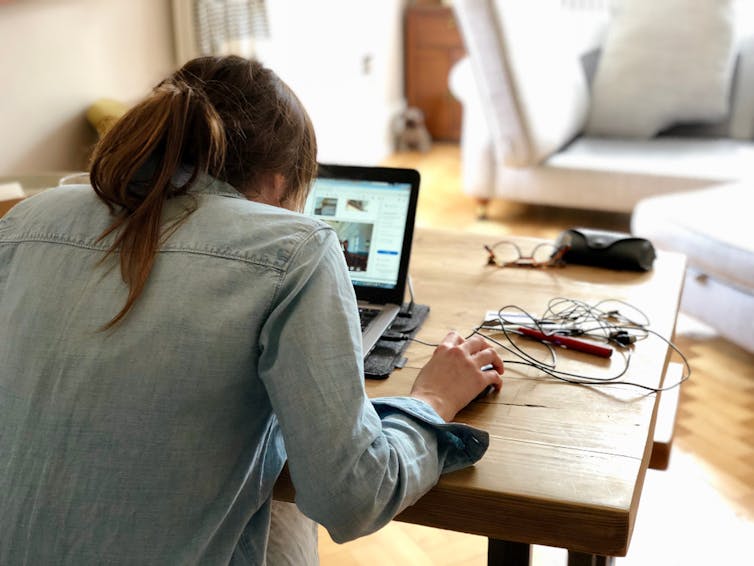 Postural difficulties in school-aged students can cause restricted circulation, fatigue, restrict breathing, eye strain and discomfort.
Shutterstock
Postural difficulties in school-aged students can cause restricted circulation, fatigue, restrict breathing, eye strain and discomfort.
Shutterstock
Overall, guidelines should provide more comprehensive recommendations of screen use for school-aged students, in addition to those in early childhood.
There are other areas of electronic media use that are important to consider. This includes using glasses designed to protect eyes from screen-based blue light and the importance of physically connecting with other people and nature.
Engagement with nature has been shown to develop restorative benefits including reduced stress, increased attention span and overall well-being. Modelling the recommended behaviours for electronic device use are also important for teachers and parents.
Technology is important, but so is student health, so we need more comprehensive guidelines.
Authors: Brendon Hyndman, Senior Lecturer and Course Director of Postgraduate Studies in Education, Charles Sturt University